Apple Support Visualizer Tool

Designed a multilingual interactive iOS simulator to help Support Advisors "see" what customers see. The tool bridged the visual gap in voice-only support, improving efficiency for a 1.56B customer ecosystem.

Interaction Design

iOS

Internal Tools
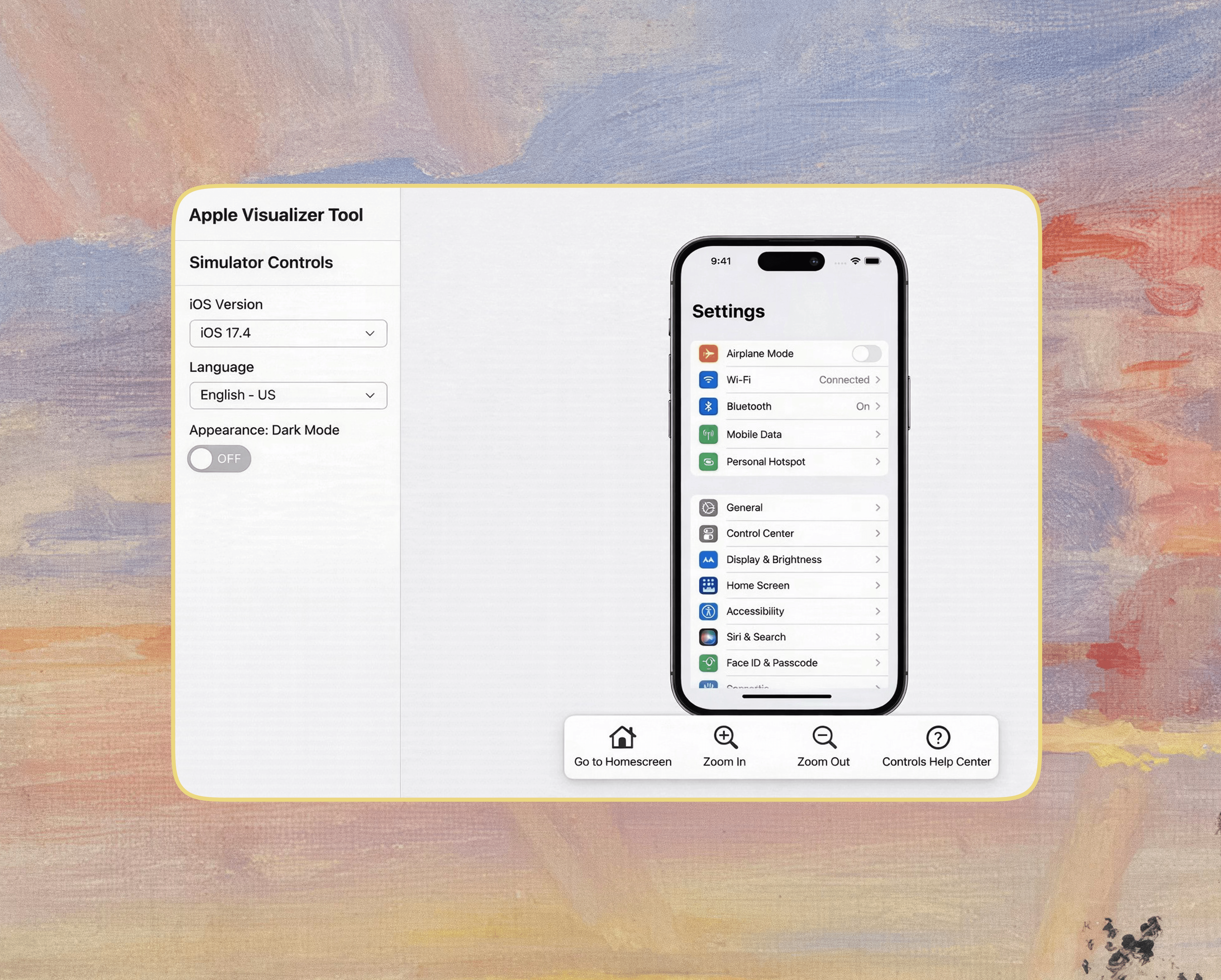
Due to a Non-Disclosure Agreement (NDA), I cannot show the actual product.
This image is a representative mockup that closely resembles the final outcome.
OVERVIEW

Apple Support Visualizer is an interactive internal tool that allows Support Advisors to simulate and troubleshoot iOS interfaces in real-time for a global customer base.

Problem

Problem

Problem

Support Advisors were troubleshooting without visual context, relying on static scripts that often failed to match the customer's actual device state.

Static screenshots couldn't keep up with the complexity of the iOS ecosystem. Advisors often struggled to guide customers because they couldn't see specific edge cases, language differences, or how the interface changed based on user settings.

This caused miscommunication and extended call times across the 1.56B user ecosystem.

Outcome

Outcome

Outcome

he new Visualizer provides a pixel-perfect, interactive mirror of the customer’s device.

  • The system successfully scaled to support 40+ native apps and established a production pipeline delivering 100+ screens daily.

  • This bridged the visual gap, allowing advisors to guide customers confidently through complex flows without guessing.

Tools

Tools

Tools

Photoshop, Internal Prototyping Tool (VizApp)

Contributors

Contributors

Contributors

3 Product Managers, 3 QA Team, 3 Design Leads, and 5 Designers (Including me!)

Contributions

Contributions

Contributions

UI Production, Interaction Prototyping, Design QA, Pipeline Management

Timeline

Timeline

Timeline

8 Weeks (MVP Delivery)
~ July to Sept 2025

BACKGROUND

The Visual Disconnect

We’ve all been there – trying to help a parent fix their phone over a voice call. You can’t see their screen, and you are both getting frustrated because you are describing different things.

For Apple Advisors, this was a daily reality. They relied on static knowledge base articles to guide customers. But if a customer saw an error message, a permission popup, or a different layout that wasn't in the script, the call would stall.

The gap wasn't technical knowledge; it was alignment. Advisors needed a tool that didn't just tell them what to say, but showed them exactly what to do.

CHALLENGE

Static Docs vs. Living Software

The challenge wasn't just designing one app—it was replicating the behavior of 40+ different apps simultaneously.

Static screenshots couldn't keep up. If the simulator showed a button on the left, but the customer's real phone (running a different iOS version or Dark Mode) had it on the right, trust would break.

We had an 8-week deadline to build a simulator that advisors could trust 100%. We needed a rigorous process to ensure every screen, transition, and edge case was identical to the live iOS.

APPROACH

Building the Production Factory

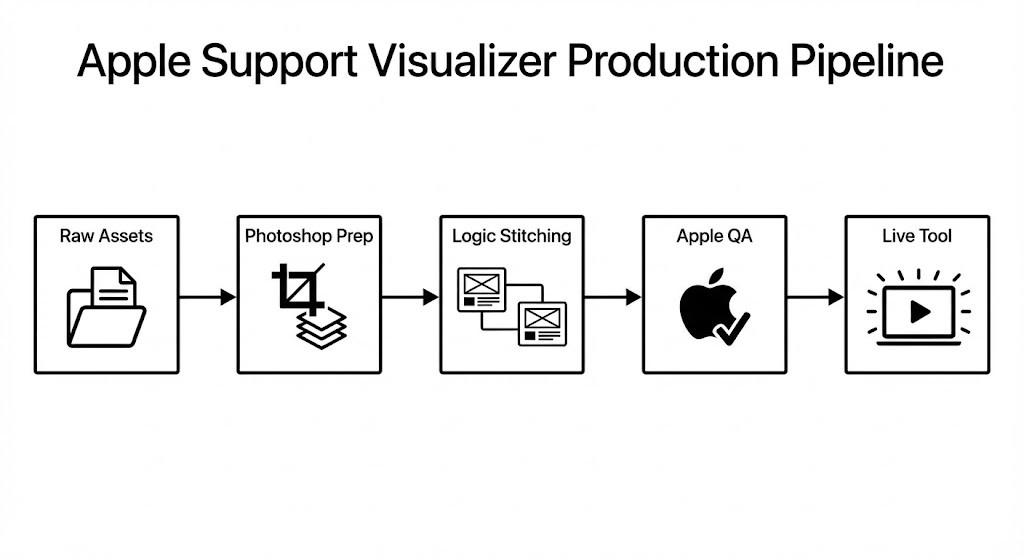
My role was to operationalize the design assets into a functioning tool. I established a factory-like pipeline to handle the volume and ensure accuracy:

01

UI Production & Sync

  • We received final screen designs directly from the Apple Design Team.

  • I processed these assets in Photoshop, standardizing them for the web-based tool.

  • This involved meticulous editing to ensure "safe areas," status bars, and UI elements would display correctly in the simulator.

02

Interaction Stitching

Static screens don't help with navigation. I stitched these assets together in our prototyping tool to create realistic flows.

  • I mapped the "Happy Paths" (the standard fix).

  • I also built the "Unhappy Paths" (error messages and edge cases), which is where customers usually get stuck.

03

The Double QA Loop

  • Internal QA: Testing the prototype logic (links, transitions, states).

  • Apple Validation: Sending the final flows to Apple’s own QA team to confirm that our simulator behaved exactly like the real OS.

Zoomable image
Zoomable image

THE OUTCOME

From Guessing to Guiding

The MVP launched successfully, covering the highest-volume support topics (Password Reset, iCloud, Subscriptions).

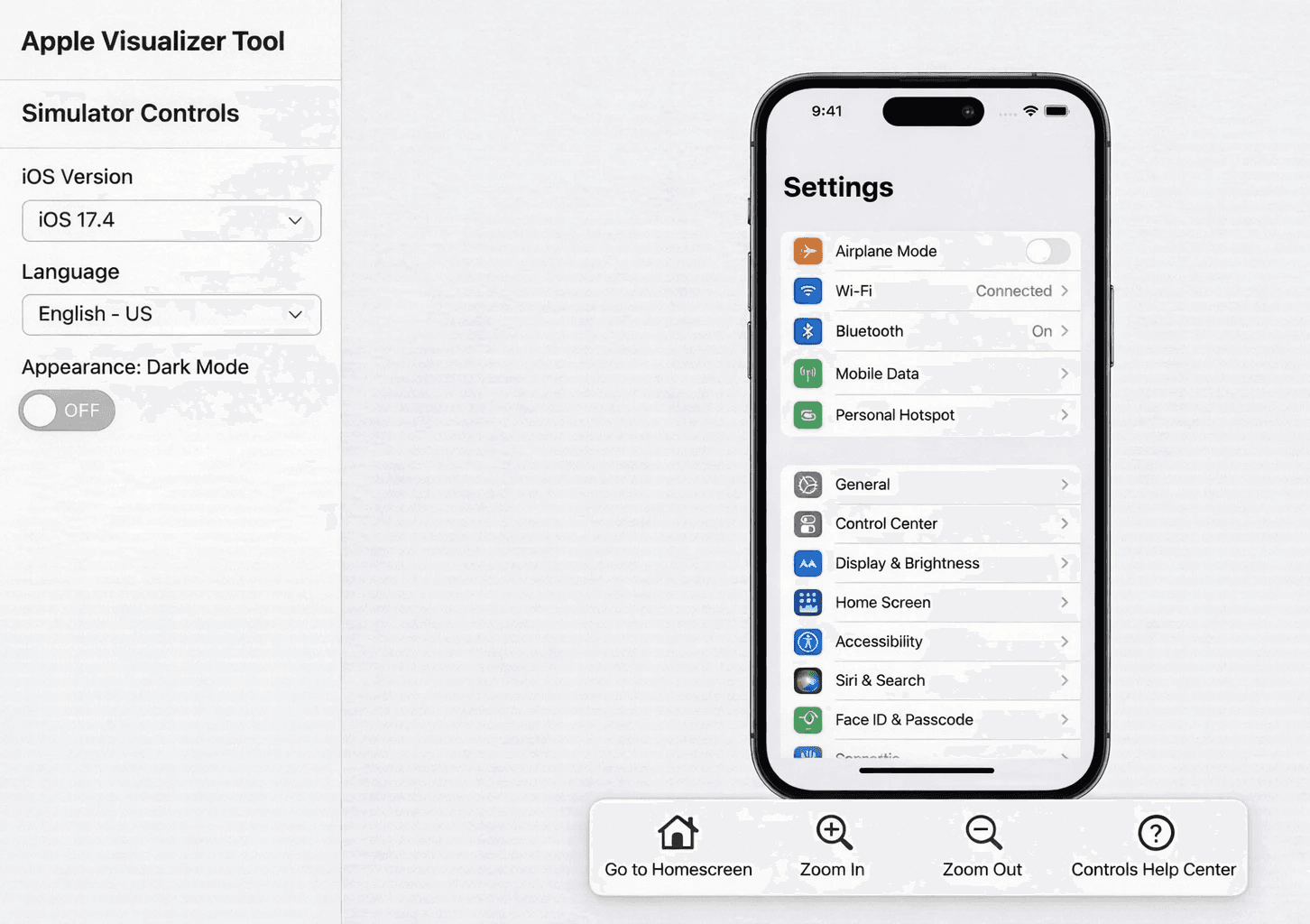
Visualizer: A Shared Reality The tool allows an Advisor to:

  1. Select the Customer’s iOS Version and Language.

  2. Toggle settings like Dark Mode to match the customer's context.

  3. Click through the flow alongside the customer.

Zoomable image
Zoomable image

Due to a Non-Disclosure Agreement (NDA), I cannot show the actual product. This image is a representative mockup that closely resembles the final outcome.

Due to a Non-Disclosure Agreement (NDA), I cannot show the actual product. This image is a representative mockup that closely resembles the final outcome.

The Human Impact: Advisors stopped asking "What do you see?" and started saying "Tap the button at the bottom."

By removing the guesswork, we reduced anxiety for both the advisor and the customer.

Scrolling this far must mean we’re meant to work together.

Let's connect?

Scrolling this far must mean we’re meant to work together.

Let's connect?

Scrolling this far must mean we’re meant to work together.

Let's connect?

©

2025

©

2025

©

2025